How to Size a Home Battery Backup System: The Ultimate Sizing Guide
Learn how to size a home battery backup system. Calculate essential appliance loads, peak starting surge demands, and select the correct capacity.
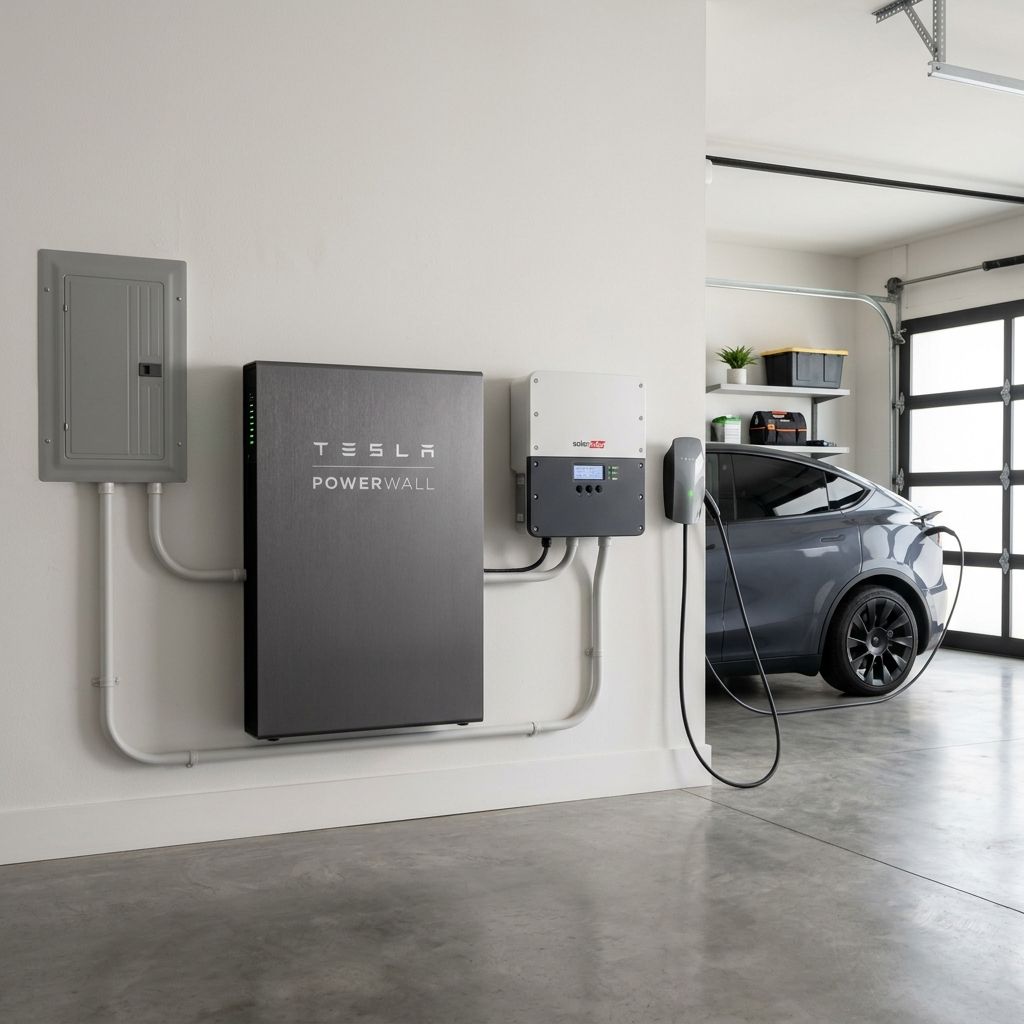
Power outages are no longer just a minor inconvenience; they are becoming longer and more frequent. Whether you are prepping for seasonal storms, wildfires, or simply trying to escape high peak utility rates, installing a Home Battery Backup System is a smart way to secure your energy independence.
But if you browse manufacturer websites, you will find a dizzying array of numbers. How do you choose between a 5 kWh, 10 kWh, or 15 kWh battery? Sizing a battery is the most critical decision in your planning process. Buy too little capacity, and your system will shut down when you need it most. Buy too much, and you will waste thousands of dollars on storage you never use.
This guide breaks down the math, the formulas, and the hardware specs so you can size your Home Battery Backup System like a professional.
Key Concept
Sizing a Home Battery Backup System requires matching both your daily electricity needs (measured in kilowatt-hours, or kWh) and your peak power demands (measured in kilowatts, or kW). Sizing for one without the other leads to system trips or overpaying for capacity.
Step 1: Audit Your Home Energy Consumption
Sizing a Home Battery Backup System does not begin with comparing brands. It begins with auditing your electricity usage. You need to calculate exactly how much power your appliances draw and how long you need to run them.
To perform a correct audit, look at your monthly utility bills and inspect the electrical labels on the appliances you plan to run during an outage.
Verify Appliance Labels
Appliance power consumption varies significantly by model, age, and efficiency. Always check the manufacturer's UL or rating stamp on the back or bottom of your physical appliance for exact running and surge wattages before finalizing calculations.
Understanding Kilowatt-Hours (kWh) vs. Kilowatts (kW)
To choose the right battery specifications, you must understand the difference between electricity volume and electricity flow rate.
We can explain this using a water tank analogy:
Kilowatts (kW) represents Flow Rate (Power): This is the rate at which your home consumes electricity at any given second. In the analogy, kW is the width of the water pipe or how wide you open a faucet.
Kilowatt-Hours (kWh) represents Volume (Energy): This is the total amount of electricity consumed over time. In our analogy, kWh is the total gallons of water stored in the tank.
For example, a Home Battery Backup System with 10 kWh of capacity and a 5 kW power output can run a 5 kW appliance for exactly 2 hours, or it can run a 1 kW appliance for 10 hours.
When you evaluate a Home Battery Backup System, you must ensure the power output (kW) can handle your household loads at any single moment, and the energy capacity (kWh) can sustain those loads for the duration of the outage.
Identifying Your Essential (Critical) Loads
During a power outage, you cannot run your entire home on a standard residential battery. Heating a swimming pool, running a clothes dryer, or keeping a hot tub warm consumes too much energy to be practical.
Instead, you must identify your essential loads. These are the appliances you absolutely need to keep your home safe, lit, and connected. Installers typically isolate these loads onto a dedicated electrical panel called a critical loads panel.
High-Power Appliances (AC, Pumps, Water Heaters)
High-power appliances draw large amounts of electricity. Many also require a brief, high-energy surge to start their motors. This starting surge is often double or triple the running wattage.
Central Air Conditioners: A standard 3-ton central AC unit draws approximately 3.5 kW while running. However, it can require up to 15 kW for a fraction of a second to start the compressor motor.
Well Pumps and Sump Pumps: A 1-horsepower well pump draws about 1.5 kW while running, but requires a starting surge of 4 to 5 kW.
Electric Water Heaters: These draw a constant 4.5 kW while actively heating water. Running a water heater will rapidly drain a standard 10 kWh battery.
Essential Low-Power Loads (Lights, Routers, Refrigerator)
These appliances consume very little power individually, but they run for long periods.
Refrigerators and Freezers: A modern refrigerator draws 100 to 200 watts while its compressor runs. Because the compressor cycles on and off, a refrigerator consumes between 1 and 2 kWh over a 24-hour period.
Wi-Fi Routers and Modems: These draw a continuous 10 to 20 watts. Running them for 24 hours consumes approximately 0.4 kWh.
LED Lighting: Running five LED light bulbs (10 watts each) for 6 hours consumes just 0.3 kWh.
Typical Home Appliance Power Consumption
| Refrigerator (Modern) | 150W running / 800W surge / 1.5 kWh daily |
| LED Bulbs (x5) | 50W running / 50W surge / 0.3 kWh (6 hours) |
| Wi-Fi Router | 15W running / 15W surge / 0.36 kWh daily |
| Sump Pump (1/2 HP) | 800W running / 2,000W surge / 0.8 kWh daily |
| Well Pump (1 HP) | 1,500W running / 4,500W surge / 1.5 kWh daily |
| Central AC (3-Ton) | 3,500W running / 15,000W surge / 14.0 kWh daily |
| Electric Water Heater | 4,500W running / 4,500W surge / 4.5 kWh daily |
Critical Load Audit Checklist
- Locate the wattage label on your refrigerator (usually inside the door or on the back).
- Count the number of LED bulbs you must run during an outage and multiply by 10W.
- Tally medical equipment (e.g. CPAP machines require approximately 30-60W).
- Note if you have a well pump or sump pump that must run to prevent flooding or loss of water.
Step 2: Calculate Your Total Backup Capacity (kWh)
The total capacity of your battery bank determines how long your backup power will last. If you do not calculate this correctly, your battery will run dry before the grid returns.
The Sizing Capacity Formula
To calculate the minimum battery capacity required, use the standard sizing formula: Capacity (kWh) = (Daily Essential Load (kWh) * Backup Days) / (Depth of Discharge (DoD) * Inverter Efficiency).
Let's break down a real-world calculation example: Your Daily Essential Load is 6 kWh per day (e.g., refrigerator, lights, router). Outage duration is 1 day. LFP Battery has 90% Depth of Discharge (0.90) and the inverter has 93% efficiency (0.93).
Formula Application: Capacity = (6 kWh * 1) / (0.90 * 0.93) = 6 / 0.837 = 7.17 kWh. You should round up to a standard 10 kWh battery unit (such as a single Tesla Powerwall 3 [13.5 kWh usable capacity] or Enphase 5P [5.0 kWh usable capacity] stack).
Do not worry if this calculation looks complex; looking at the real-world case studies in the next section will make the sizing numbers much simpler to understand.
Factoring in Depth of Discharge (DoD) & Inverter Losses
You cannot use 100% of the energy stored in a Home Battery Backup System. Doing so would damage the internal cells and dramatically shorten the lifespan.
Depth of Discharge (DoD) is the percentage of capacity that can be safely used. LFP batteries generally support a 90% to 95% DoD. Older Lead-Acid batteries only support a 50% DoD, meaning you would need to double your battery size if using lead-acid.
Inverter conversion efficiency wastes 5% to 12% of the energy as heat when converting DC to AC. Always check your inverter's CEC efficiency rating.
Capacity is Not Output
Many homeowners focus exclusively on energy capacity (kWh) when designing a whole-home backup. However, if your Home Battery Backup System has 20 kWh of capacity but a weak 3 kW inverter output, it will trip the moment you run a microwave while the refrigerator compressor is active. Always match the inverter's power output (kW) to your peak simultaneous load.
Step 3: Determine Your Peak Power Output (kW) Needs
After calculating your capacity (kWh), you must audit your peak power output (kW). This ensures that the battery's inverter can supply enough instantaneous flow rate to run your selected appliances at the same time.
Unlike sizing a standby generator—which is designed to carry the maximum potential load of your entire home electrical panel at once—battery backup sizing focuses on optimizing essential runtime durations and managing continuous load limits.
Continuous Load vs. Starting Load (Surge Current)
Every Home Battery Backup System has two power output ratings: Continuous Power Output (kW) representing what it can supply indefinitely, and Peak Power Output (kW) representing the maximum surge capacity for starting electric motors.
If your refrigerator, well pump, and lights are running simultaneously, their combined draw must not exceed the battery's continuous power limit. Furthermore, if the well pump cycles on, the surge current must not exceed the battery's peak limit.
Starting Heavy Loads with Soft Starters
If you want to run a central air conditioner or a large heat pump during an outage, the starting surge can easily trip your system. To start a 15 kW surge, you would normally need to link three separate 5 kW batteries in parallel, costing upwards of $30,000.
An affordable solution is to install a soft starter on your AC compressor. A soft starter is a small electrical module that ramps up the voltage gradually, lowering starting surge current by up to 60%. This simple modification can allow a single Home Battery Backup System to start your AC unit safely.
Step 4: Sizing Case Studies: Three Typical Home Scenarios
Looking at real-world profiles makes it easier to match your specific backup goals with the correct specifications.
Scenario A: Minimal Backup (Lights & Fridge Only)
Goal: Run only basic security, communications, and food preservation. Essential load: refrigerator, router, and 5 LED bulbs. Total daily load: 2.2 kWh. Continuous output needed: 1 kW. Recommendation: a single compact battery like Enphase 5P [5.0 kWh usable capacity].
Scenario B: Whole-Home Backup (Standard Outage Planning)
Goal: Maintain comfort, run water pumps, power laptops, and run a microwave or coffee maker. Total daily load: 5.1 kWh. Continuous output needed: 5 kW continuous, with a surge capacity of at least 8 kW (to handle well pump starts). Recommendation: a single 10 to 15 kWh battery system like Tesla Powerwall 3 [13.5 kWh usable capacity] or FranklinWH aPower [13.6 kWh usable capacity].
Scenario C: Complete Off-Grid System Planning
Goal: Continuous operation without grid connection, relying entirely on solar charging. Total daily load: 15 kWh. Continuous output needed: 8 kW to 12 kW continuous. Recommendation: a double-stacked 20 to 30 kWh battery bank like two stacked Tesla Powerwall 3 units [27.0 kWh usable capacity].
Sizing Scenario Reference Summary
| Scenario A: Minimal (2.2 kWh / 1.0 kW / 1.5 kW surge) | 1x Enphase 5P (5.0 kWh usable) |
| Scenario B: Standard (5.1 kWh / 5.0 kW / 8.0 kW surge) | 1x Tesla Powerwall 3 (13.5 kWh usable) |
| Scenario C: Off-Grid (15.0 kWh / 10.0 kW / 15.0 kW surge) | 2x Tesla Powerwall 3 (27.0 kWh usable) |
Step 5: Choose the Right Battery Chemistry (LFP vs. NMC)
The chemistry inside the battery cells determines the system's safety, weight, and lifespan:
Pros
- LFP (LiFePO4) is extremely safe with virtually zero thermal runaway risk.
- LFP offers double the cycle life (6,000+ cycles) compared to NMC.
- LFP supports high 90-100% Depth of Discharge safely.
Cons
- NMC is more compact and lightweight, suited for tight indoor installations.
- NMC has shorter cycle lifespans (2,000 - 3,000 cycles).
- LFP is heavier and requires more wall mount footprint.
Common Sizing Mistakes to Avoid
Underestimating starting surge currents will cause your inverter to trip instantly. Assuming 100% of nominal capacity is usable leads to runtime deficits. Not pairing battery sizing with appropriate solar panel recharging limits your resilience in extended outages.
Final Recommendations & Summary Checklist
- Audit appliance labels for running and surge wattages.
- Determine your backup goal (Time-of-Use vs. Whole-home backup).
- Select LFP chemistry for maximum lifespan.
- Install a soft starter if you plan to run central air conditioners.
- Size your solar array so it is large enough to recharge the batteries in winter.
Conclusion
Sizing your backup battery represents a careful balance of energy storage, output flow rates, and household consumption priorities. Remember that the best home battery for your system is the correctly sized battery that meets your critical loads panel needs, not necessarily the biggest or most expensive unit on the market.
Evidence
Sources and methodology
Article FAQ
Common questions
Can a single 10 kWh battery run a central air conditioner?
No. While a 10 kWh battery has the total energy capacity to run a central AC for 2 to 3 hours, the battery's inverter cannot supply the high starting surge (often 15 kW+) required to turn on the compressor. To run an AC, you must install a soft starter on the compressor or stack multiple batteries in parallel.
What is the difference between usable capacity and nominal capacity?
Nominal capacity is the total amount of energy inside the battery cells. Usable capacity is the amount of energy you can safely extract without damaging the battery. Always calculate runtimes using usable capacity.
How many days of battery backup do I need?
For grid-tied homes, 1 day of backup is usually sufficient. For off-grid homes or areas prone to multi-day winter storms, plan for 2 to 3 days of storage.

Written by
Battery Planning Editorial Team
The official editorial and research team for Battery Planning, providing expert battery sizing guides, specifications audits, and cost estimation planners.